norte / Terminal file manager
A two-pane file manager for your terminal.
Two panes, the keys you already know, copies that run while you keep working, and a journal of everything that changed: yours, a script's or an agent's.
Terminal · ntc
The two-pane file manager for any terminal. No desktop or background service required.
$curl --proto '=https' --tlsv1.2 -LsSf https://github.com/compilando/norte/releases/download/v0.3.0-alpha.16/norte-tui-installer.sh | shLinux x86_64, 15 MB, no root, installs into ~/.cargo/bin
Window · norte-gui
The native desktop app. Each package also includes ntc and norte.
01
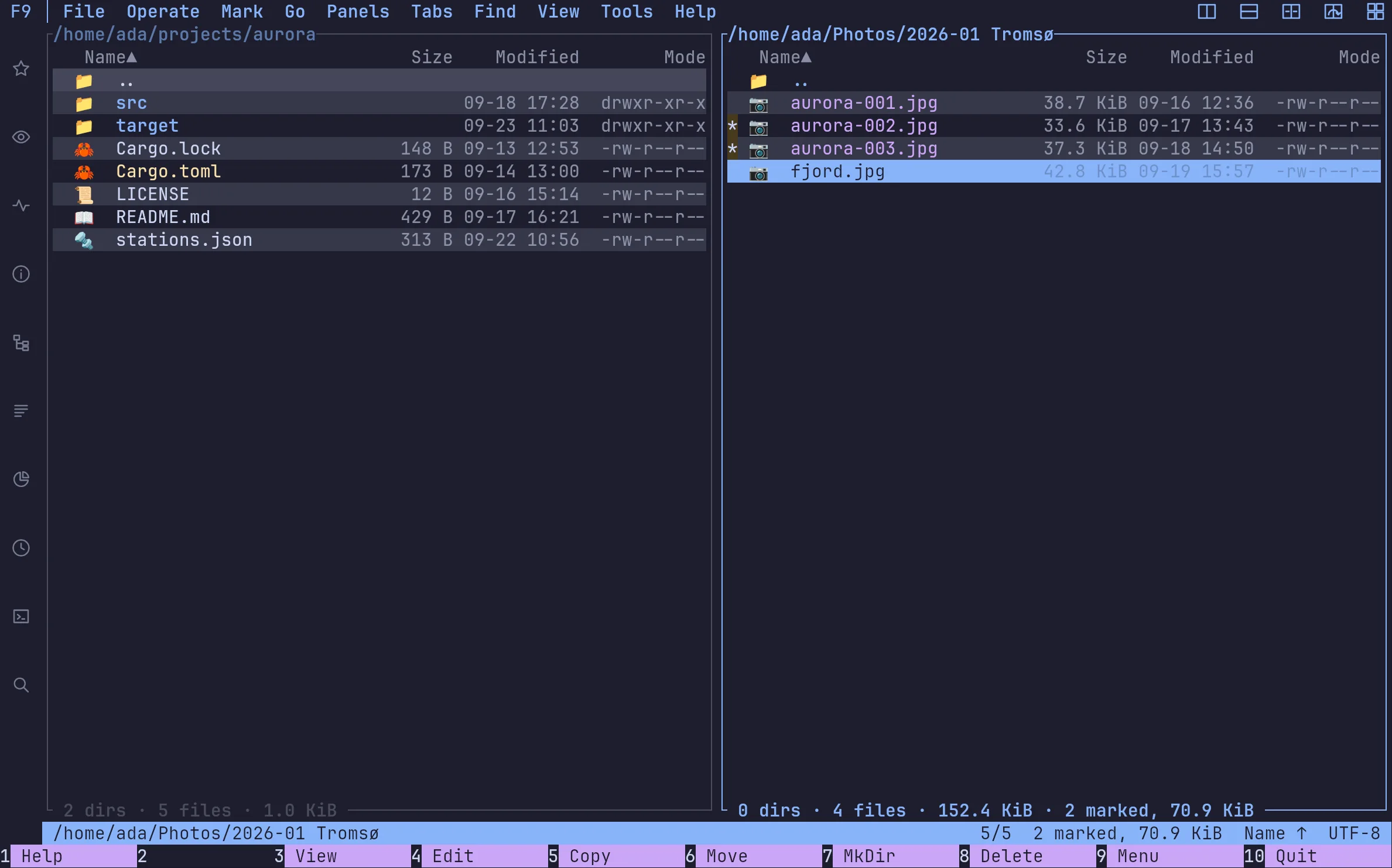
Two panes, and your keys come with you
ntc runs in any terminal with its core embedded: nothing to start first. Pick the keymap you already know — orthodox, vim, cua, krusader, far, norton or total-commander — and every command is in the palette, the F9 menus and the help, with the key your preset gives it.
02
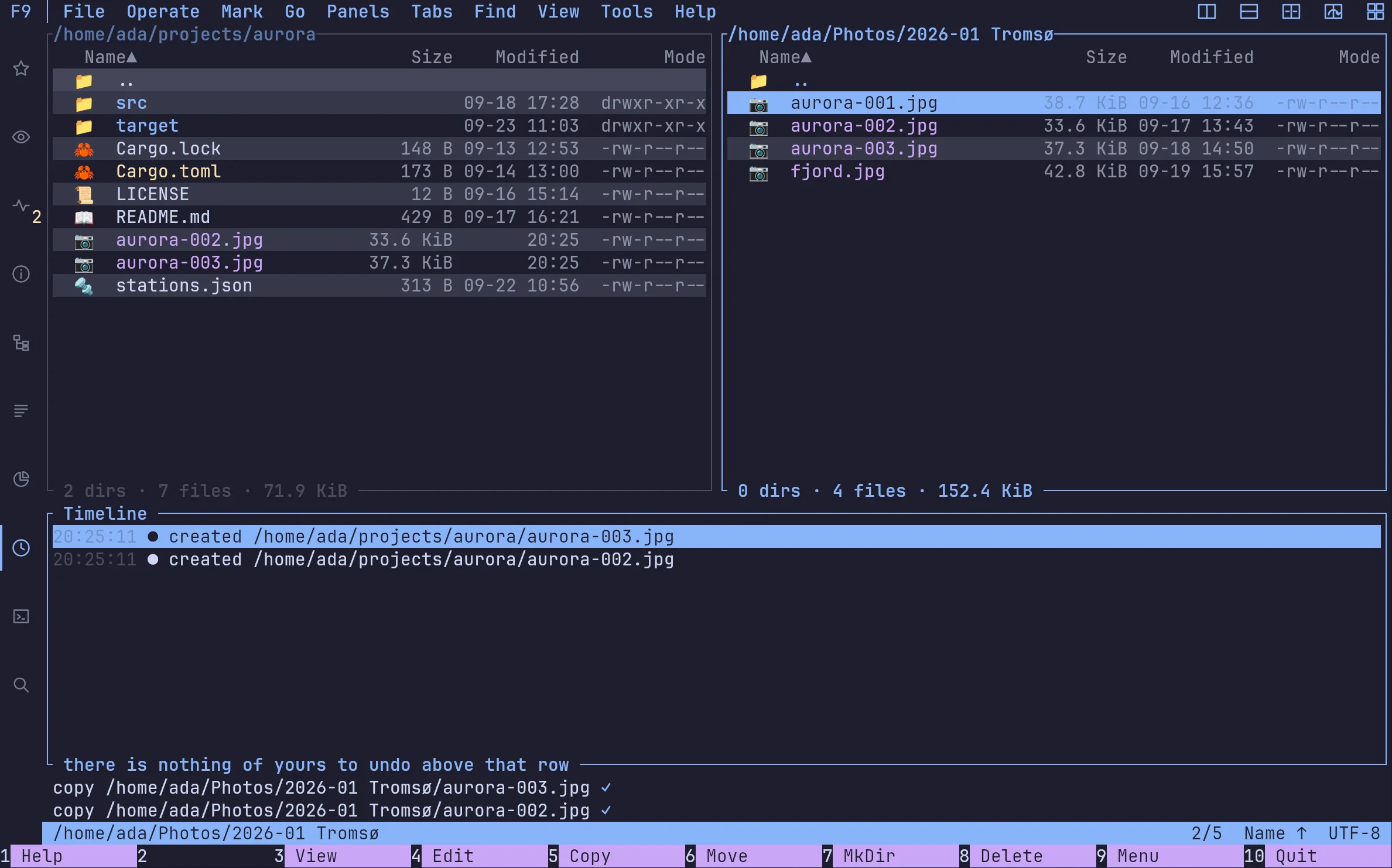
Every change in one journal
Each operation lands in a journal you can browse in the timeline, with its author: you, the window, a script or an agent.
03
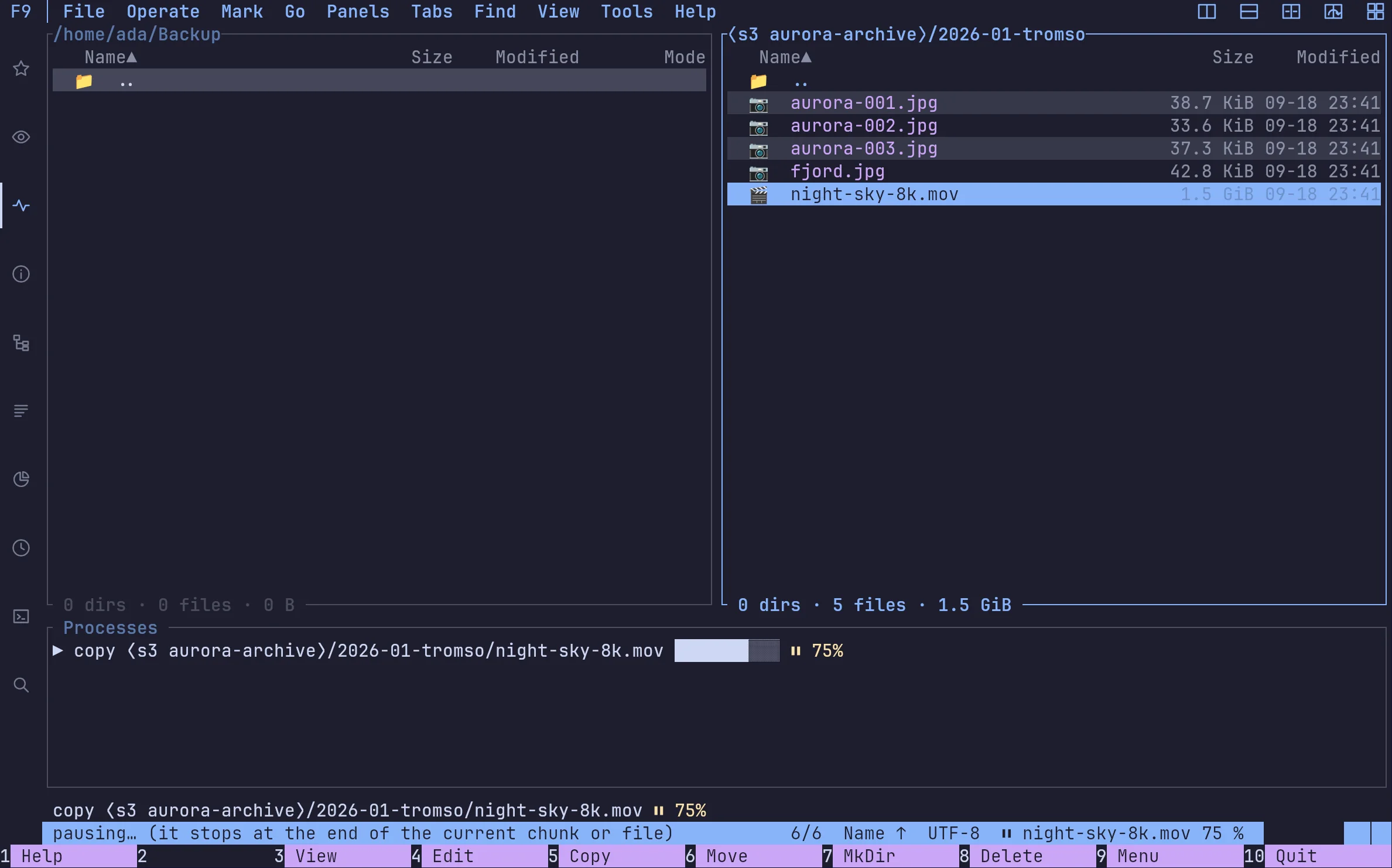
Copies are tasks; you keep working
A copy runs in the background, can be paused and carries on where it stopped. Deletes go to the trash. Ctrl-C never leaves half a file behind.
FAQ
›Is norte free?
Yes. It is open source: the core and frontends are AGPL-3.0, and the protocol and providers are MIT or Apache-2.0. There is no account and no telemetry.
›Which systems does it run on?
The alpha ships Linux x86_64 binaries and a first Windows x86_64 preview (installer or ZIP, unsigned). On macOS it builds from source with Rust 1.95 or newer.
›Can I see what an AI agent did?
Yes. Agent operations are journaled under the agent's session, next to yours, and the timeline shows them in order.
Download
Ready to point north?
Install the Linux alpha today, or build norte anywhere Rust runs. No account and no telemetry.
ntc — the file manager
$curl --proto '=https' --tlsv1.2 -LsSf https://github.com/compilando/norte/releases/download/v0.3.0-alpha.16/norte-tui-installer.sh | shnorte — daemon, CLI, MCP
$curl --proto '=https' --tlsv1.2 -LsSf https://github.com/compilando/norte/releases/download/v0.3.0-alpha.16/norte-cli-installer.sh | shThe window · one bundle, three binaries
Windows · first preview, unsigned
Each package carries norte and ntc with it, so a clean install always has a daemon to talk to.
Linux x86_64, and a first Windows x86_64 preview. macOS builds from source; binaries come the day releases are built in CI.