norte / SFTP · S3 · archives
SFTP, S3 and archives, each one just another pane.
A Raspberry Pi over SFTP, a bucket on S3, a zip in Downloads: norte opens them all through one virtual filesystem, with the same keys, the same copy dialog and the same journal.
Terminal · ntc
The two-pane file manager for any terminal. No desktop or background service required.
$curl --proto '=https' --tlsv1.2 -LsSf https://github.com/compilando/norte/releases/download/v0.3.0-alpha.16/norte-tui-installer.sh | shLinux x86_64, 15 MB, no root, installs into ~/.cargo/bin
Window · norte-gui
The native desktop app. Each package also includes ntc and norte.
01
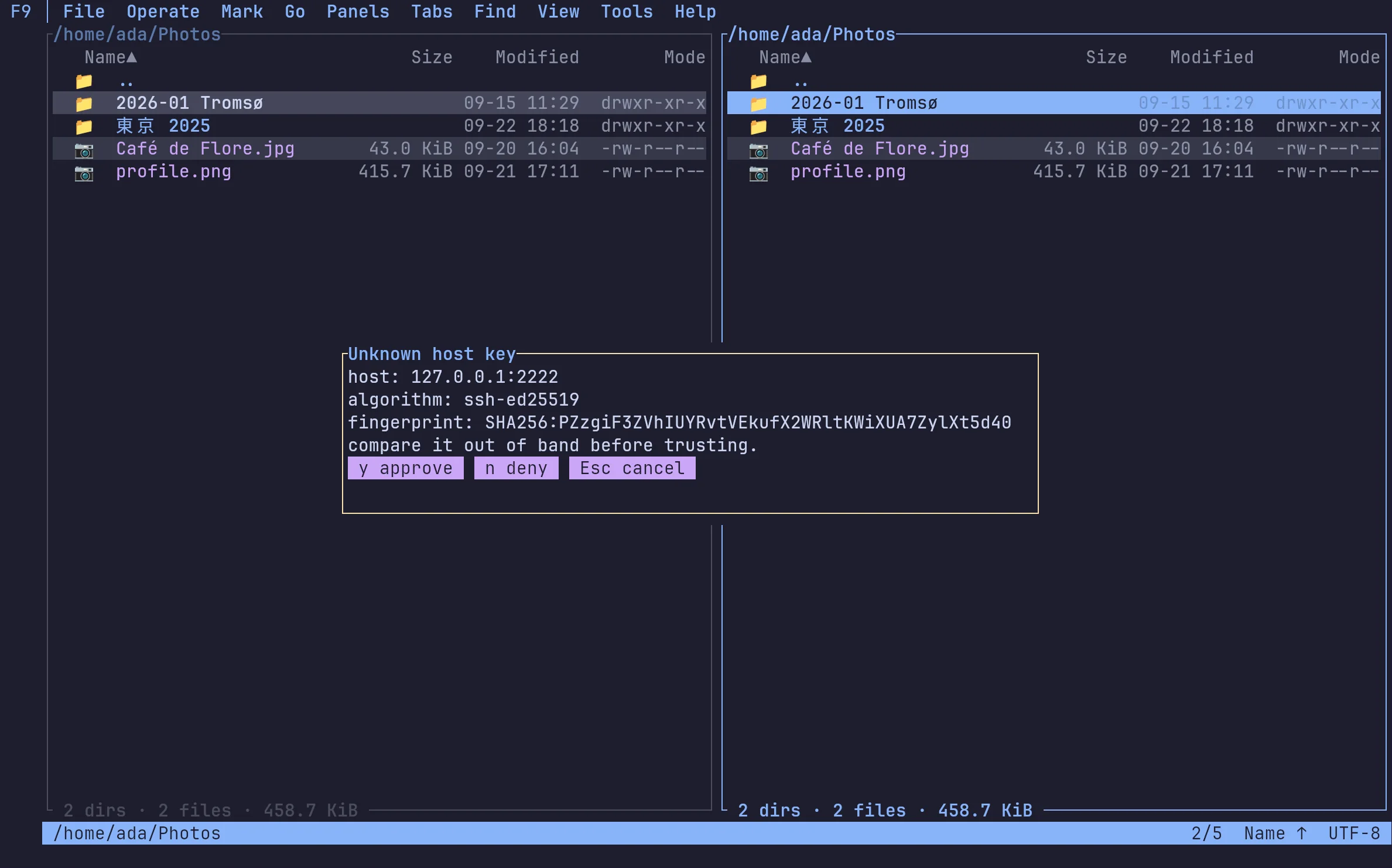
SFTP that asks before it trusts
The first connection to a host shows its key's fingerprint and waits for you. Keys, not passwords in a config file: connections.toml holds references, and secrets stay in your keyring.
02
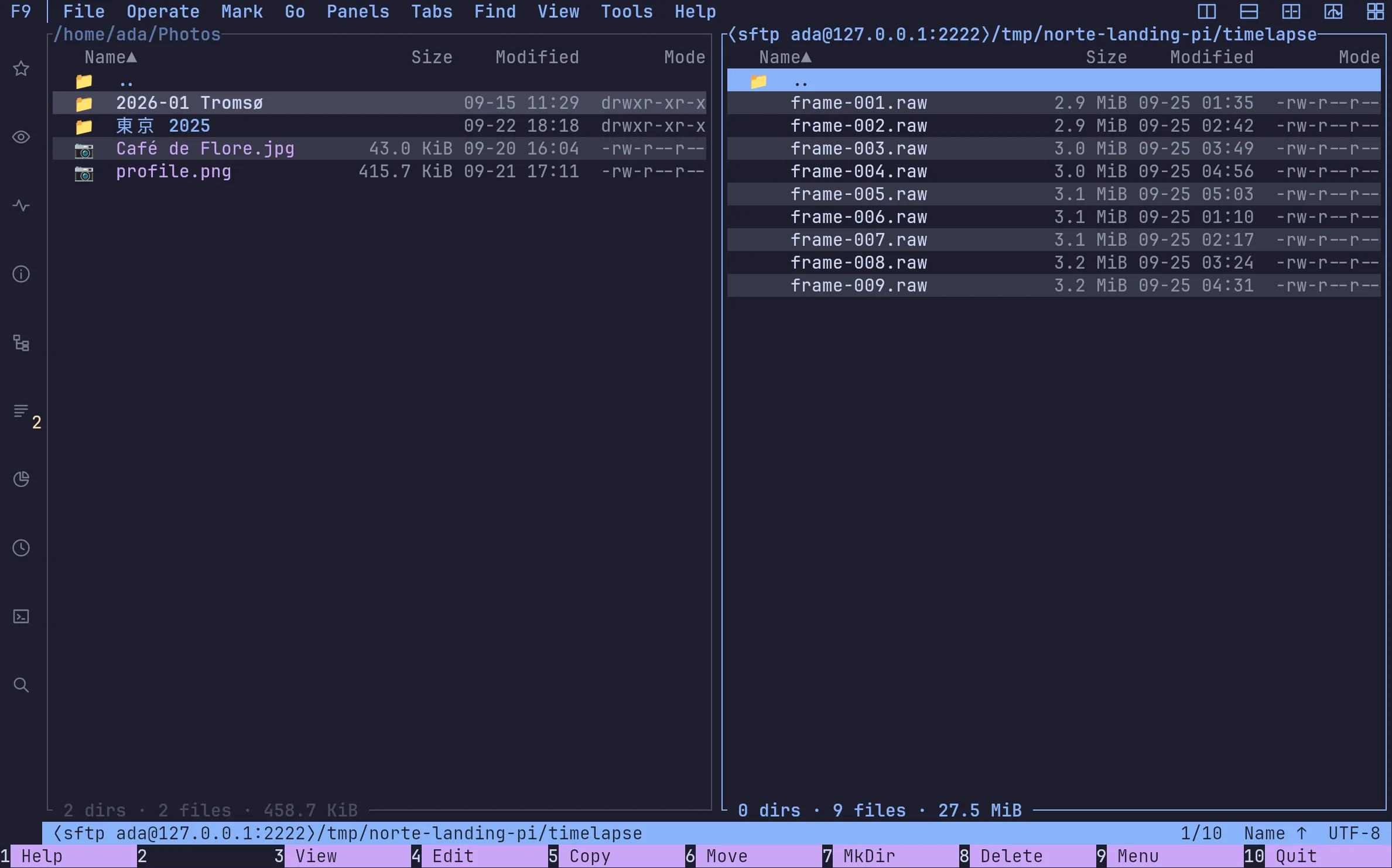
A server is a pane like any other
Browse it, view files, copy from it and to it. Big transfers are tasks you can pause and resume.
03
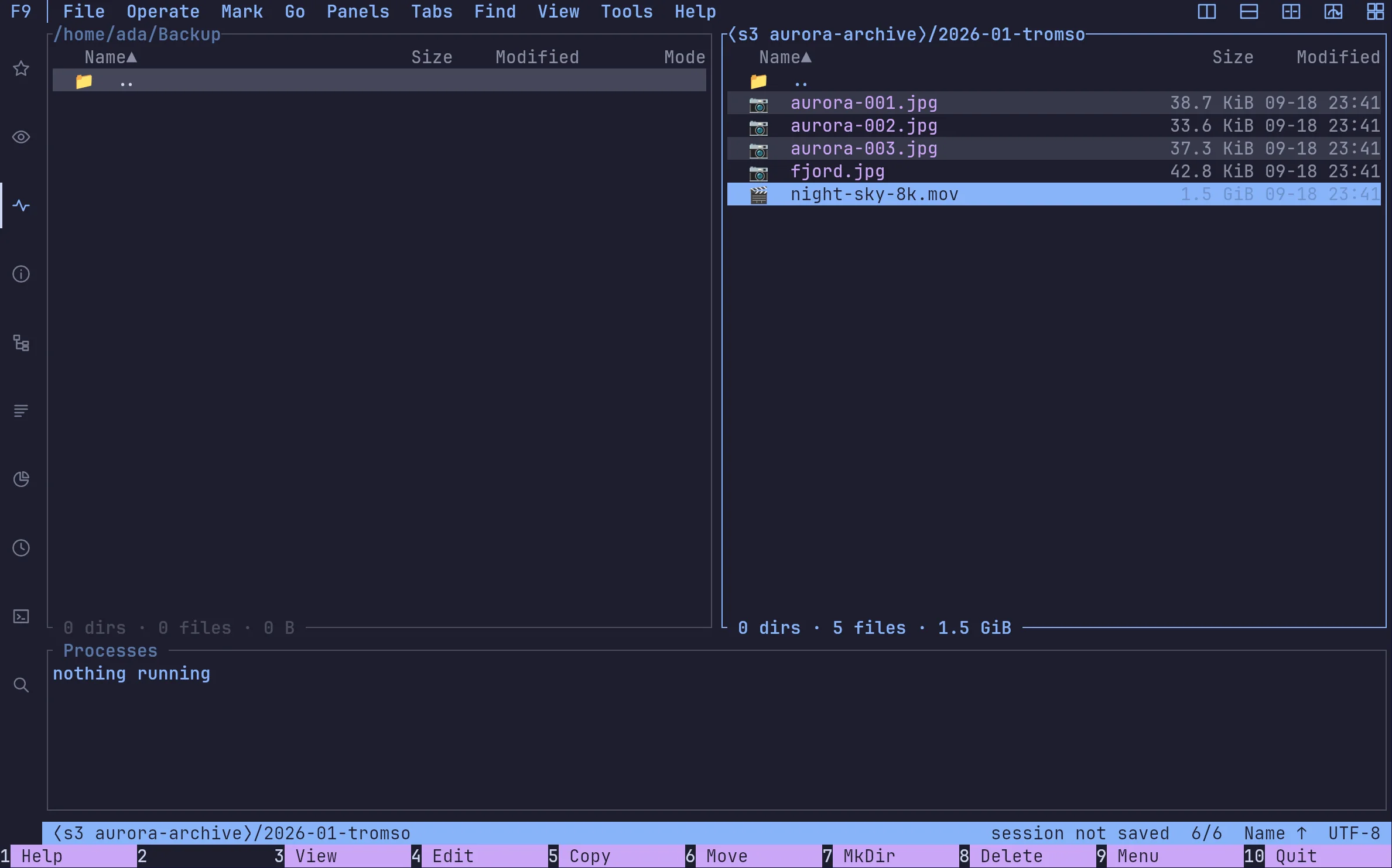
S3 buckets as folders
Prefixes are folders, objects are files. AWS, MinIO or anything that speaks S3. With the daemon, the connection and the running copies are shared by every client.
04
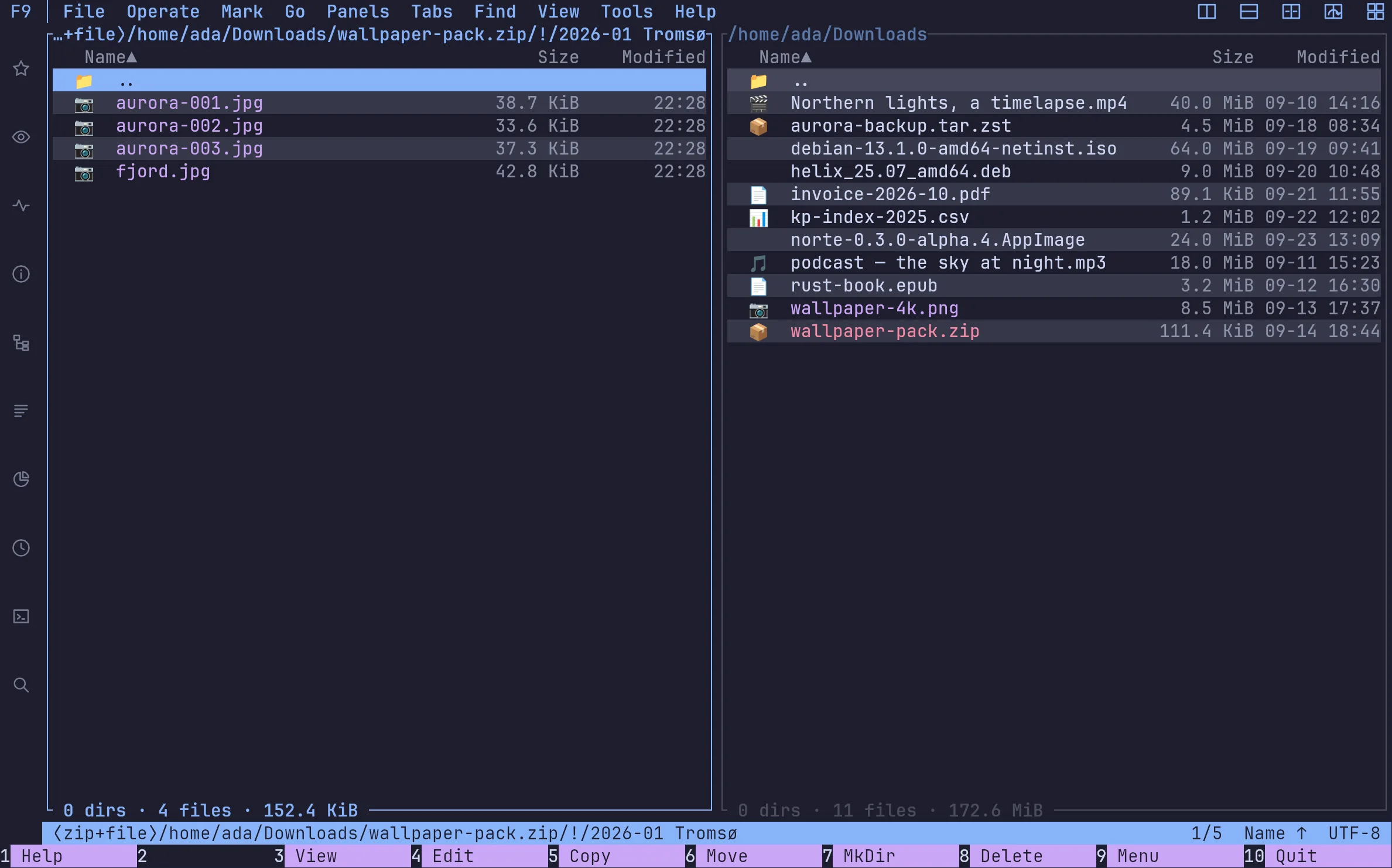
Archives open like directories
ZIP, TAR (gz, zst…) and RAR, browsed in place: no extracting first.
05
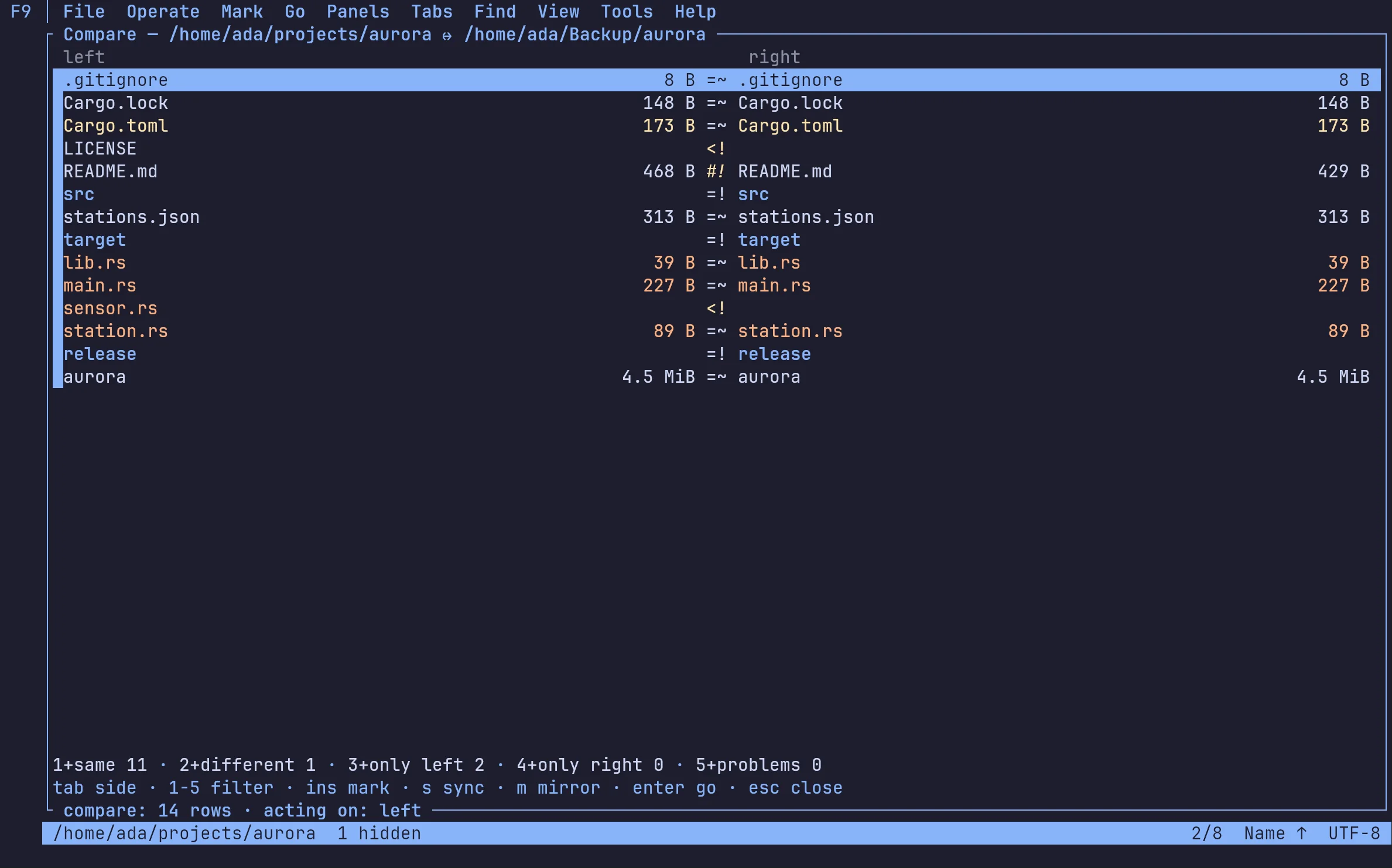
Compare two trees, then sync them
Same, different, only here, only there — then a sync plan you approve in one go, with every change it makes in the journal.
FAQ
›Which remote protocols does norte support?
SFTP, FTP (with TLS) and S3-compatible object storage, plus ZIP, TAR and RAR archives, all through the same virtual filesystem.
›Where are passwords and keys stored?
Not in the config file: connections.toml only holds references, and the secret comes from your keyring or environment.
›Can I sync a local folder to a server?
Yes. Compare the two trees, review the plan, approve it; the sync runs as a task and every change it makes is journaled.
Download
Ready to point north?
Install the Linux alpha today, or build norte anywhere Rust runs. No account and no telemetry.
ntc — the file manager
$curl --proto '=https' --tlsv1.2 -LsSf https://github.com/compilando/norte/releases/download/v0.3.0-alpha.16/norte-tui-installer.sh | shnorte — daemon, CLI, MCP
$curl --proto '=https' --tlsv1.2 -LsSf https://github.com/compilando/norte/releases/download/v0.3.0-alpha.16/norte-cli-installer.sh | shThe window · one bundle, three binaries
Windows · first preview, unsigned
Each package carries norte and ntc with it, so a clean install always has a daemon to talk to.
Linux x86_64, and a first Windows x86_64 preview. macOS builds from source; binaries come the day releases are built in CI.