norte / Orthodox file manager
Far Manager's keys, on Linux, in a terminal or a window.
If you want Far itself on Linux, far2l is its port and a fine choice. norte is a different program that borrows Far's keys: a far preset transcribed from Far's own help, a menu bar, and remotes and plugins built differently.
Terminal · ntc
The two-pane file manager for any terminal. No desktop or background service required.
$curl --proto '=https' --tlsv1.2 -LsSf https://github.com/compilando/norte/releases/download/v0.3.0-alpha.16/norte-tui-installer.sh | shLinux x86_64, 15 MB, no root, installs into ~/.cargo/bin
Window · norte-gui
The native desktop app. Each package also includes ntc and norte.
01
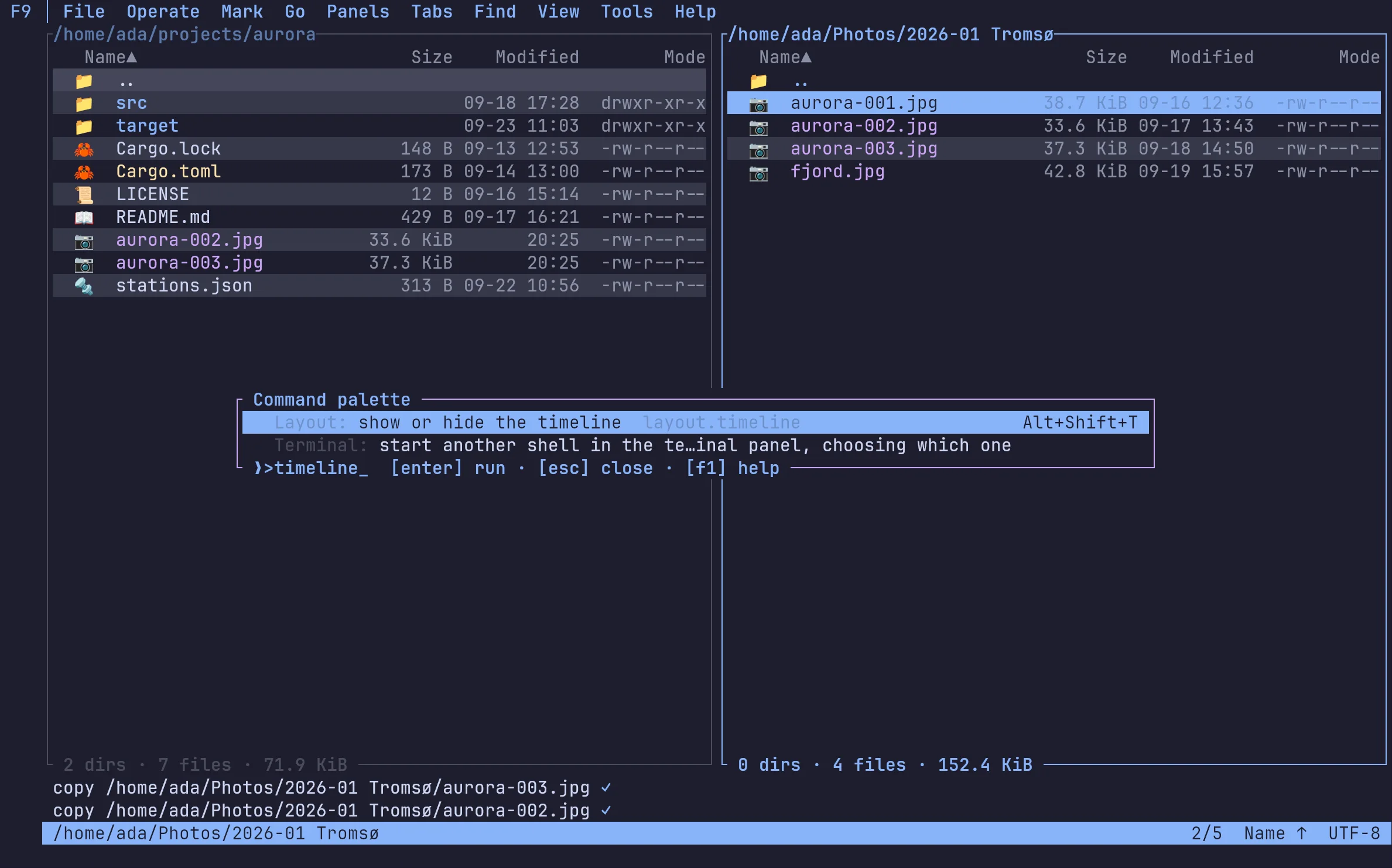
A far preset, transcribed from Far's help
Set preset = "far" and Shift+F8 or Shift+Delete deletes, Alt+Delete deletes permanently, and no bare letter is bound. The preset file lists what it leaves out and why.
02
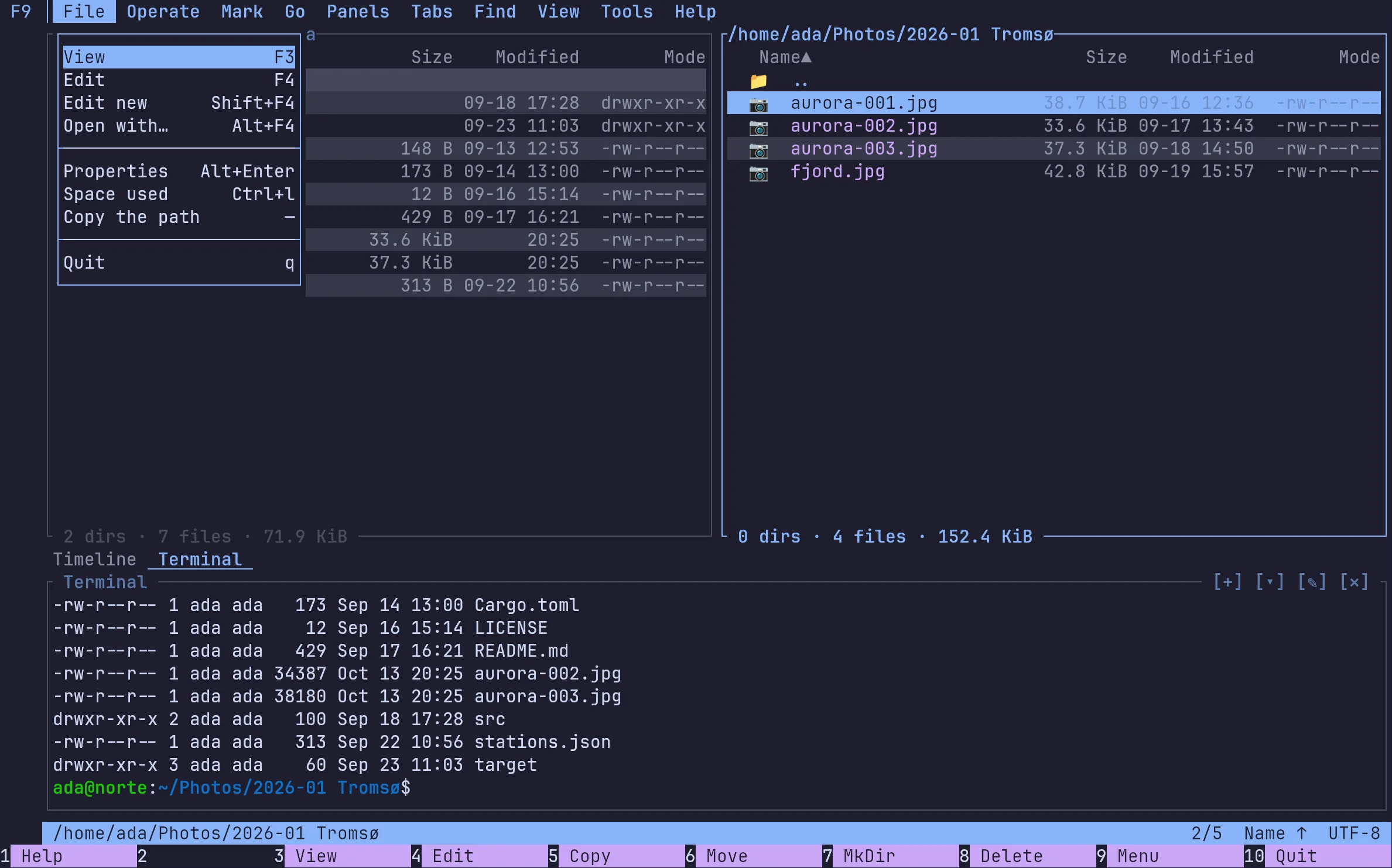
Menus, a palette and a help that knows your keys
Every command is in the menu bar, the palette and the help, each with the key your preset gives it. Where the far preset leaves a Far key out, its file says why.
03
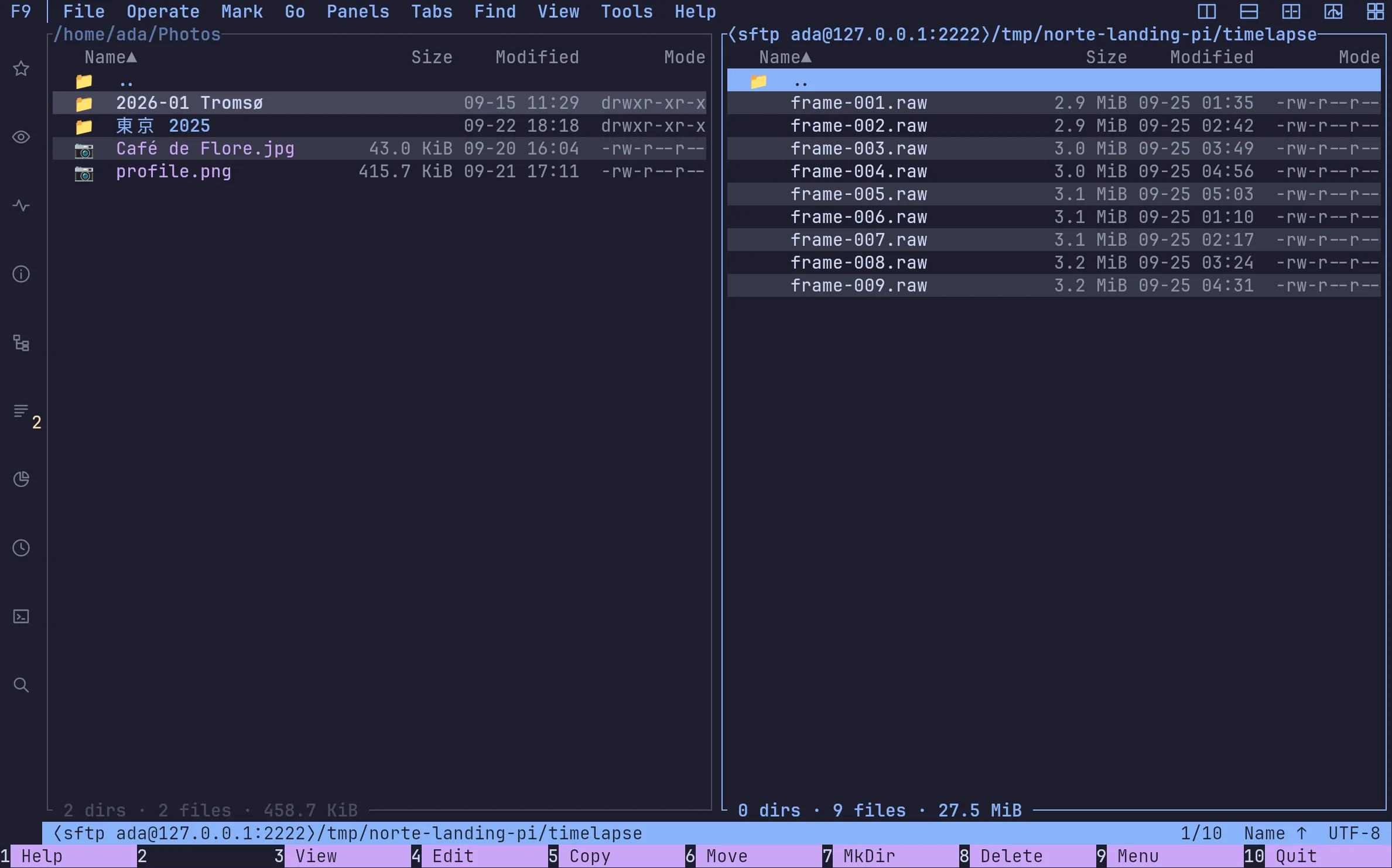
SFTP and S3 without a plugin
Remotes are part of norte, not an add-on: SFTP asks for the host key's fingerprint on first contact, and S3 buckets open as folders. Secrets stay in your keyring.
04
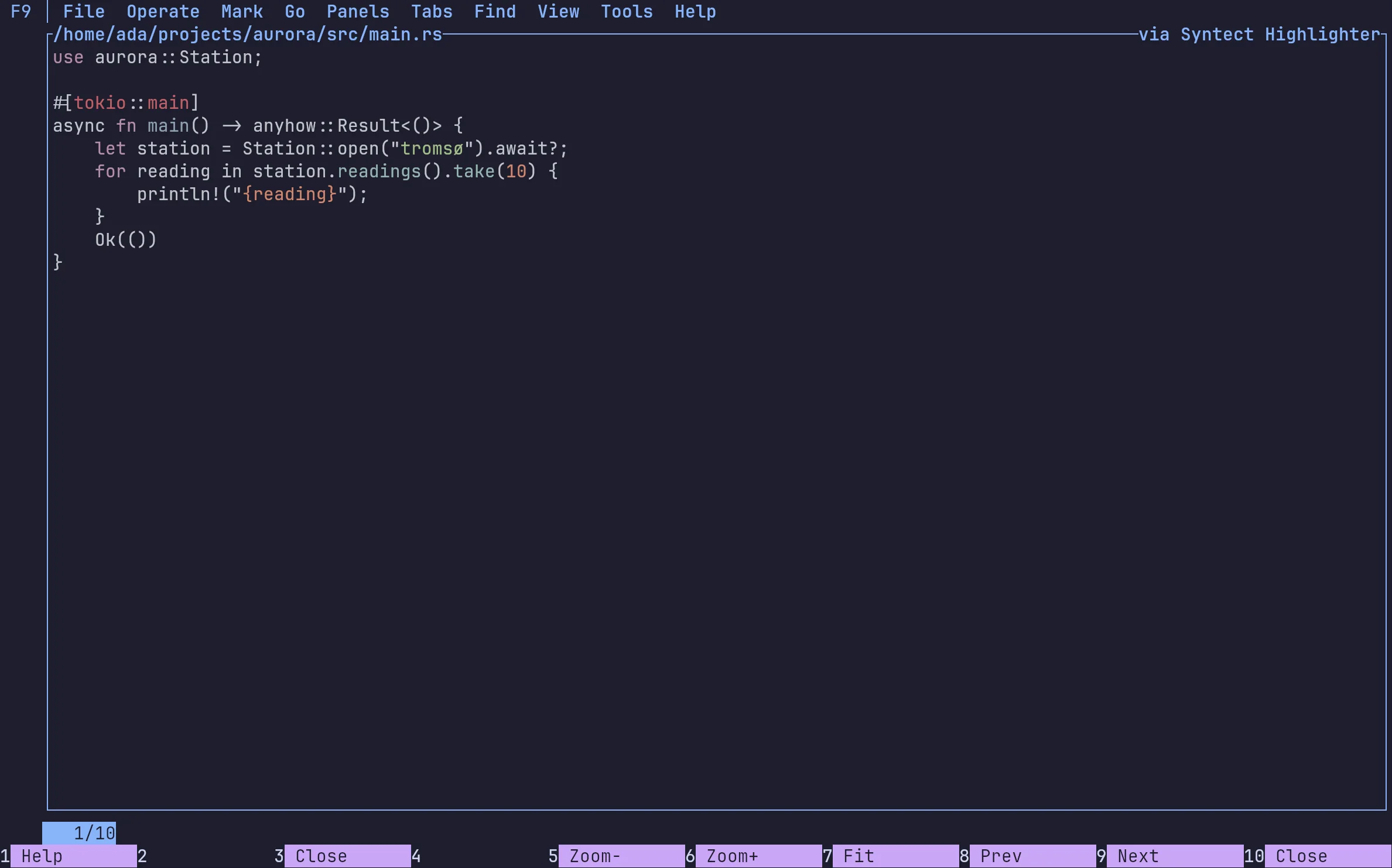
Plugins that ask before they touch
Plugins are WebAssembly, not native DLLs: each runs sandboxed and gets only the capabilities you approve. The code highlighter here reads the one file it shows and nothing else.
Coming from somewhere?
norte next to mc, Far, Total Commander and yazi.
| Feature | norte | Midnight Commander | Far Manager | Total Commander | yazi |
|---|---|---|---|---|---|
| Runs in a terminal | ✓ | ✓ | ✓ | — | ✓ |
| Native desktop window | ✓ | — | — | ✓ | — |
| Two panes by default | ✓ | ✓ | ✓ | ✓ | —Miller columns |
| Several screens on one core (daemon) | ✓ | — | — | — | —DDS syncs state, not tasks |
| SFTP | ✓ | ✓ | Via pluginNetBox | Via pluginSFTP plugin | ✓ |
| S3 / object storage | ✓ | Via plugins3+ extfs, reported broken | Via pluginNetBox | Via pluginthird-party wfx | — |
| Archives as folders | ✓ | ✓ | ✓ | ✓ | Via pluginarchivemount.yazi |
| Journal of every operation | ✓hash-chained | — | — | Partlyoptional log file | — |
| AI agents, under a policy (MCP) | ✓ | — | — | — | — |
| Plugins, sandboxed with consent | ✓WASM, per capability | —scripts, full rights | —native DLLs | —native DLLs | —Lua, no sandbox documented |
| Copies in the background | ✓ | ✓ | Via plugin | ✓ | ✓ |
| Platforms | Linux · Windows (preview) · macOS from source | Linux · macOS · BSD | Windows (far2l fork: Linux, macOS) | Windows · Android | Linux · macOS · Windows |
| License | AGPL-3.0 (protocol MIT/Apache) | GPL-3.0+ | BSD-3-Clause | Shareware | MIT |
Checked against each project's own documentation on 26 September 2026. Something wrong or out of date? Tell us in an issue.
When norte is not the one for you
You need macOS binaries today.
Far Manager's far2l and yazi ship them; on macOS norte builds from source for now.
You want decades of battle-testing.
Midnight Commander has them. norte is an alpha, and says so.
You like Miller columns and a big Lua ecosystem.
That is yazi, and it is excellent at it.
Whichever you pick, you are in good company. If one of them serves you well, star it, report a bug, send a patch or just thank its maintainers: the orthodox family is still going because of them.
FAQ
›Is norte a port of Far Manager?
No. far2l is the Linux port of Far. norte is its own program with a far keymap preset, so Far's keys work in it.
›Does it run on Windows too?
Yes, as a first preview for Windows 10 and 11 x64: an installer that needs no admin, or a portable ZIP. It is unsigned for now, so SmartScreen will ask.
›Can I use my Far plugins?
No. Far plugins are native DLLs; norte's are WebAssembly modules, sandboxed and approved capability by capability.
Download
Ready to point north?
Install the Linux alpha today, or build norte anywhere Rust runs. No account and no telemetry.
ntc — the file manager
$curl --proto '=https' --tlsv1.2 -LsSf https://github.com/compilando/norte/releases/download/v0.3.0-alpha.16/norte-tui-installer.sh | shnorte — daemon, CLI, MCP
$curl --proto '=https' --tlsv1.2 -LsSf https://github.com/compilando/norte/releases/download/v0.3.0-alpha.16/norte-cli-installer.sh | shThe window · one bundle, three binaries
Windows · first preview, unsigned
Each package carries norte and ntc with it, so a clean install always has a daemon to talk to.
Linux x86_64, and a first Windows x86_64 preview. macOS builds from source; binaries come the day releases are built in CI.