norte / AI agents · MCP
Let AI agents touch your files, under your rules.
norte mcp serve gives an agent a file interface with a gatekeeper: nothing out of scope, every change held for your approval if your policy says so, and everything journaled under the agent's name.
Terminal · ntc
The two-pane file manager for any terminal. No desktop or background service required.
$curl --proto '=https' --tlsv1.2 -LsSf https://github.com/compilando/norte/releases/download/v0.3.0-alpha.16/norte-tui-installer.sh | shLinux x86_64, 15 MB, no root, installs into ~/.cargo/bin
Window · norte-gui
The native desktop app. Each package also includes ntc and norte.
01
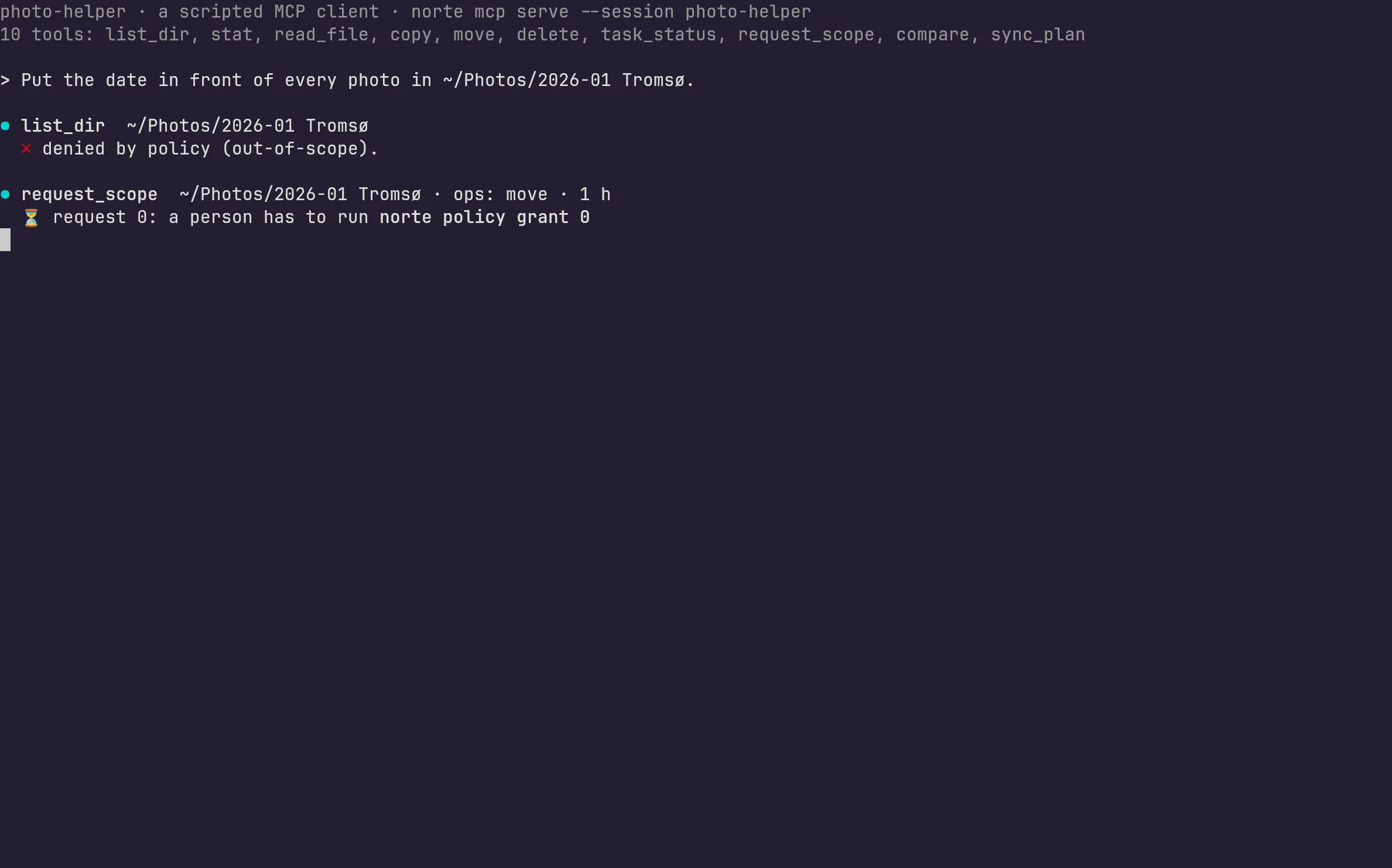
It has to ask for a scope
Outside a granted scope an agent gets nothing, not even a listing. It asks for a folder, the operations it wants and for how long; you grant it with norte policy grant.
02
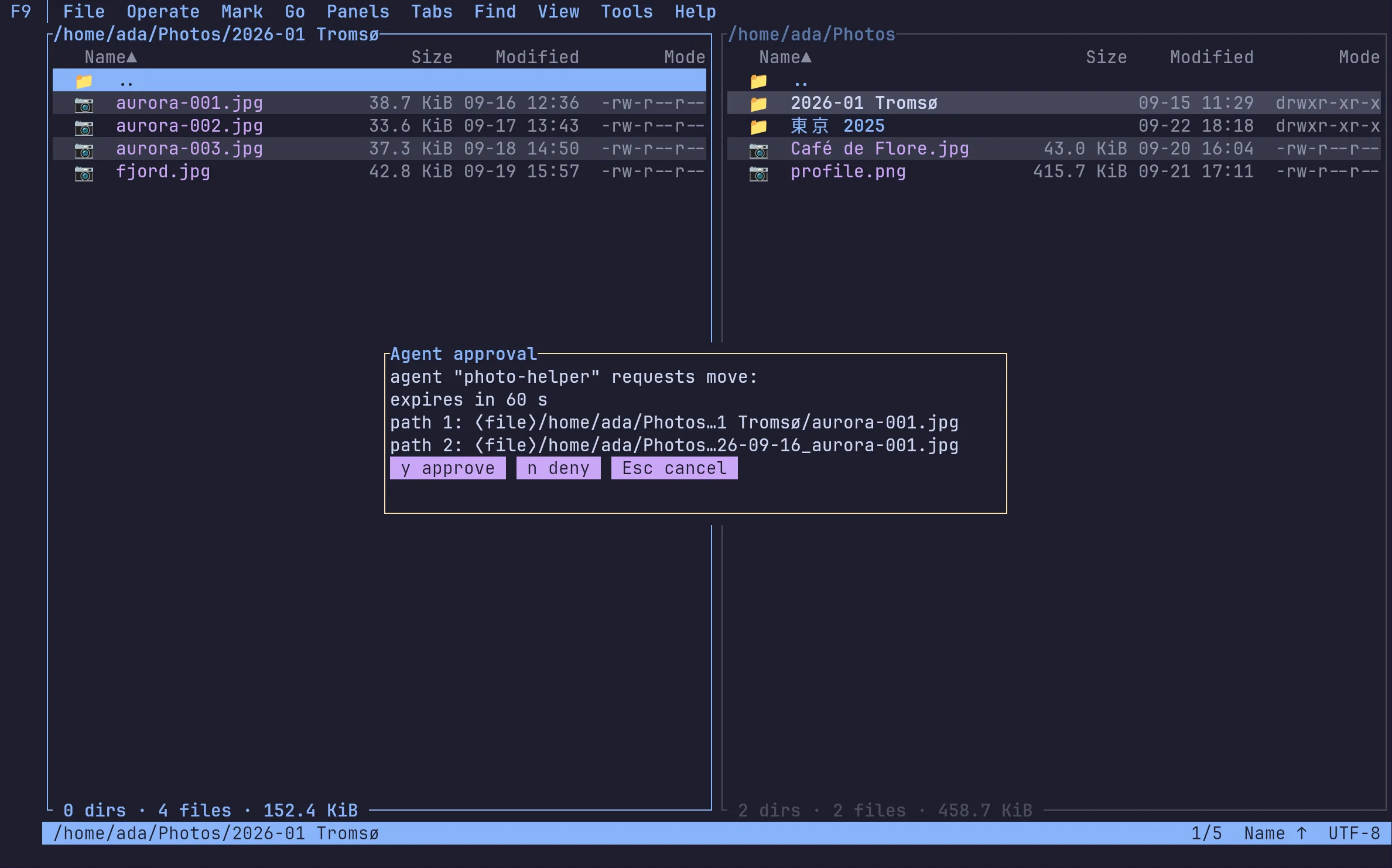
Every change can wait for your yes
With action = "ask" in your policy, each operation stops in ntc on the daemon, or in the window, until you press y; unanswered, it is denied after a minute. Rules match by operation, path, scheme and actor; the first match wins, and with no policy an agent is denied.
03
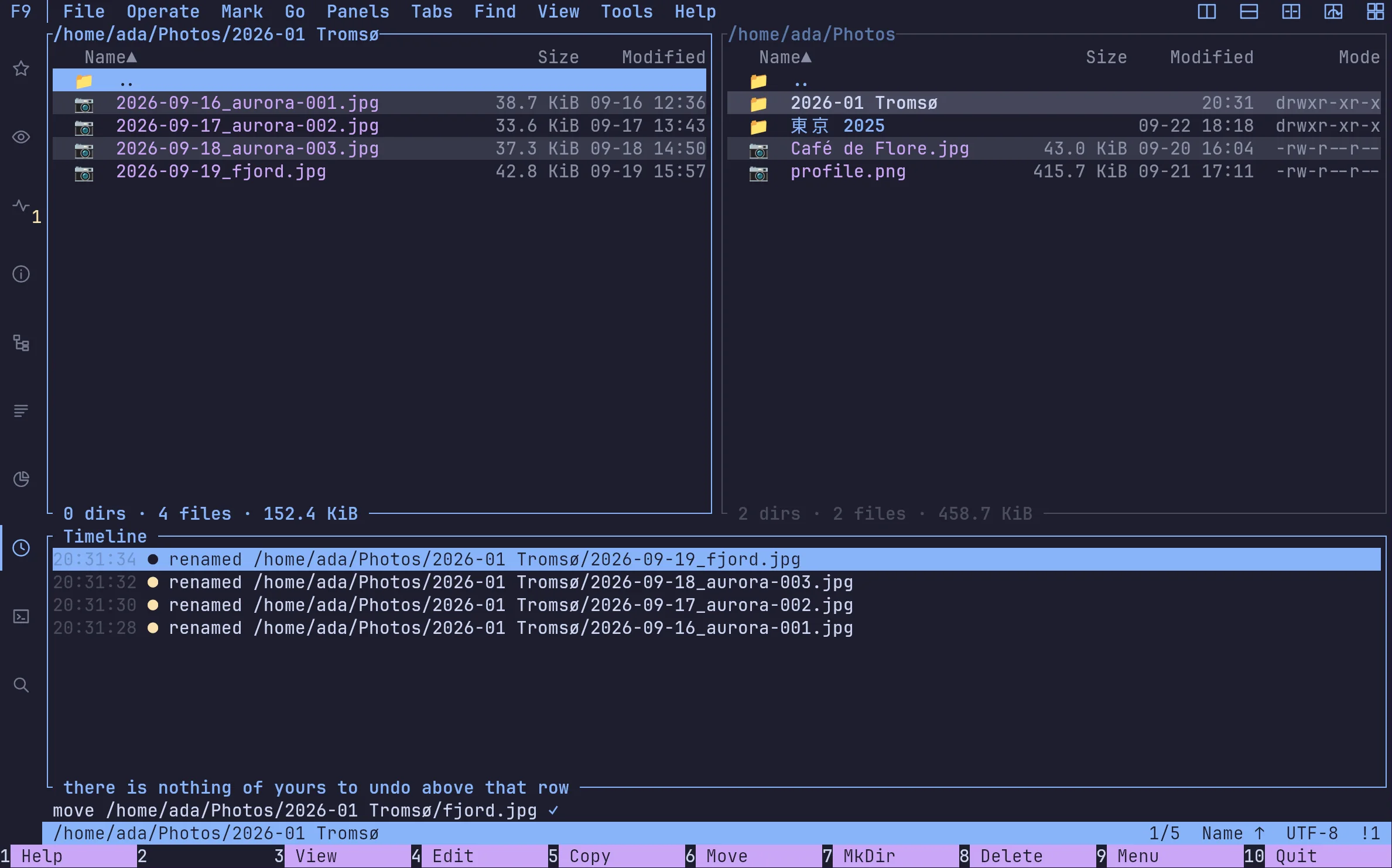
Everything in the journal
Everything the agent did is in the journal under its session, next to what you did, in the same timeline.
Hook up Claude Code — or any MCP client
Claude Code
$claude mcp add norte -- norte mcp serve --session claudepolicy.toml: agents ask (read at the daemon's start)
$printf '[[rule]]\nactor = "agent"\naction = "ask"\n' >> ~/.config/norte/policy.tomlnorte
$norte policy grant <request_id>FAQ
›Which AI agents work with norte?
Any MCP client: Claude Code, Codex and others. norte mcp serve speaks MCP over stdio and exposes tools to list, read, copy, move, delete, compare and plan syncs.
›Can an agent delete my files?
Only inside a scope you granted, and only if your policy allows it; you can deny deletes for agents outright, or make every operation ask first. Local deletes go to the trash by default.
›Is this a real AI in the screenshots?
No: photo-helper is an MCP client scripted for the captures. Everything else on screen — the daemon, the policy, the approval and the journal — is norte.
Download
Ready to point north?
Install the Linux alpha today, or build norte anywhere Rust runs. No account and no telemetry.
ntc — the file manager
$curl --proto '=https' --tlsv1.2 -LsSf https://github.com/compilando/norte/releases/download/v0.3.0-alpha.16/norte-tui-installer.sh | shnorte — daemon, CLI, MCP
$curl --proto '=https' --tlsv1.2 -LsSf https://github.com/compilando/norte/releases/download/v0.3.0-alpha.16/norte-cli-installer.sh | shThe window · one bundle, three binaries
Windows · first preview, unsigned
Each package carries norte and ntc with it, so a clean install always has a daemon to talk to.
Linux x86_64, and a first Windows x86_64 preview. macOS builds from source; binaries come the day releases are built in CI.